Products / 10Spot
AI for Seeing

A photo-led memory for physical belongings: remember what you have, where it belongs, and who has it, at home or at work.
Problem and solution
Things pile up faster than memory.
The problem
People collect tools, equipment, supplies and belongings faster than they can remember where everything is. Finding something, lending it or documenting it often depends on one person’s memory.
We are building for households, collectors, musicians, workshops and small businesses that share equipment or stock. These are the markets we are aiming at, not a list of paying customers.
What 10Spot does
10Spot gives things a searchable record and a specific home, without a full inventory project. Take a photo, review what it found, and file each thing to its exact spot.
Manual entry always works too. The AI is a shortcut, not a requirement.
Capabilities
What it does in the beta.
Capture and review
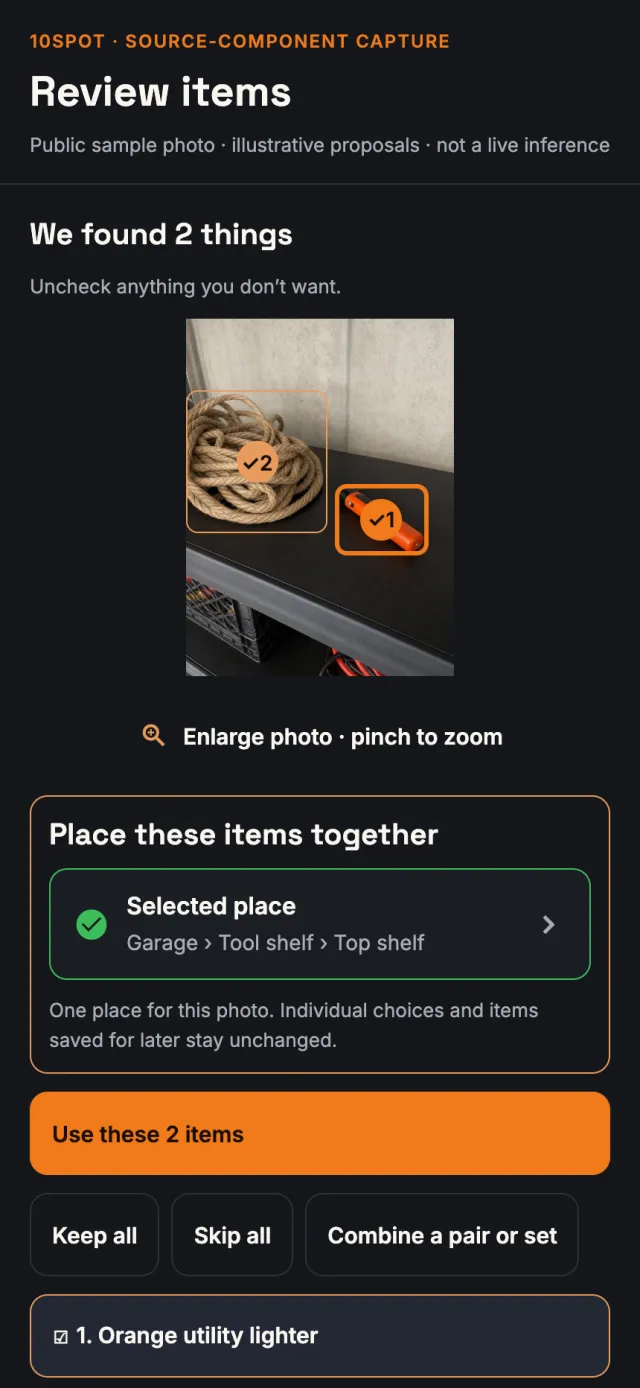
Take a photo; AI can suggest several visible objects with names and descriptions. Select, correct or combine them before you save separate items.
BetaRemember the exact spot
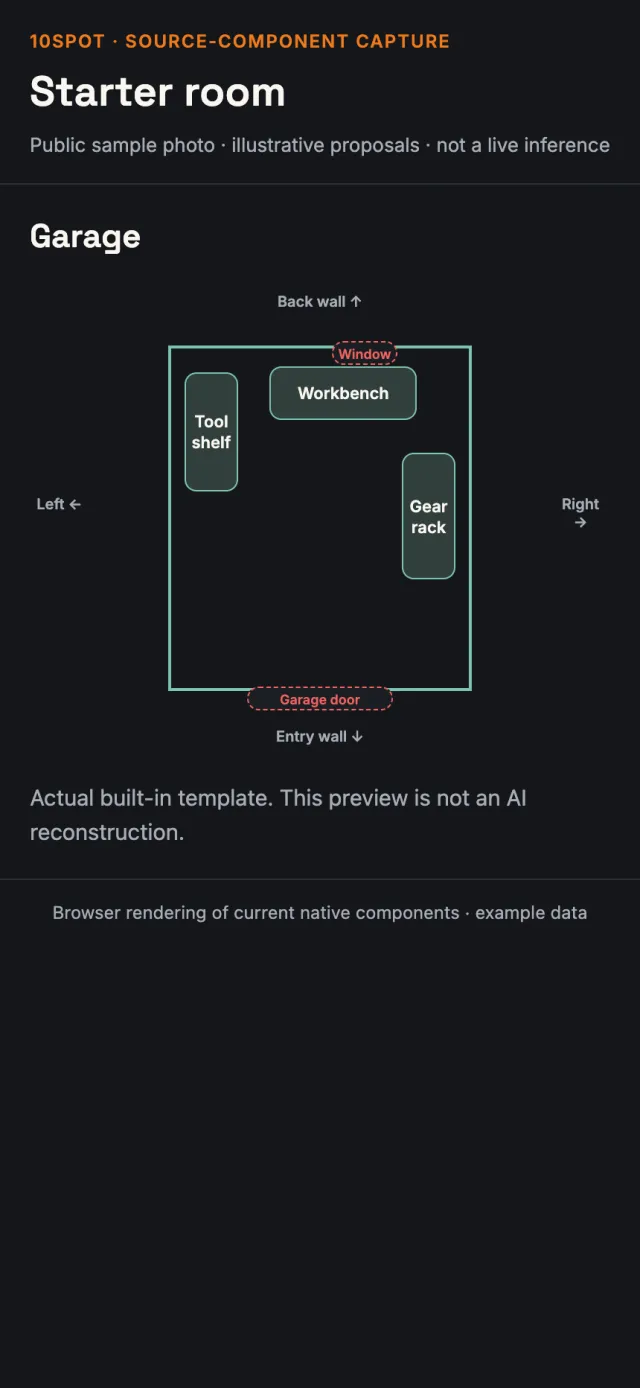
Places, shelves, drawers, bins and totes. Optional room sketches and starter layouts add context; locations work without a map.
BetaFind and track
Search by text or voice, confirm a find, move an item, or check it out and return it. Collections group things without changing their homes.
BetaUseful records
Photos, serial numbers, notes, stock quantities and expiry dates. Helpful for documentation. It is not an appraisal, an insurance guarantee or a marketplace.
BetaSave work in stages
Keep unfinished photos and review drafts on the phone and place them later. Drafts never become inventory by themselves.
BetaWhat the AI actually does
AI suggests. You keep control.
10Spot uses an external vision model for two jobs: finding the separate objects in a photo, and sketching a room from several photos. Both are implemented and limited to eligible beta testers. Both end with a person choosing what to save.
One photo, separate items
- You take a new photo. The server checks you own it and strips its metadata before anything is analysed.
- The model proposes up to 12 visible objects: short names, descriptions, readable text, rough outlines, and what it is unsure of. It is told never to invent serial numbers, prices, owners or locations.
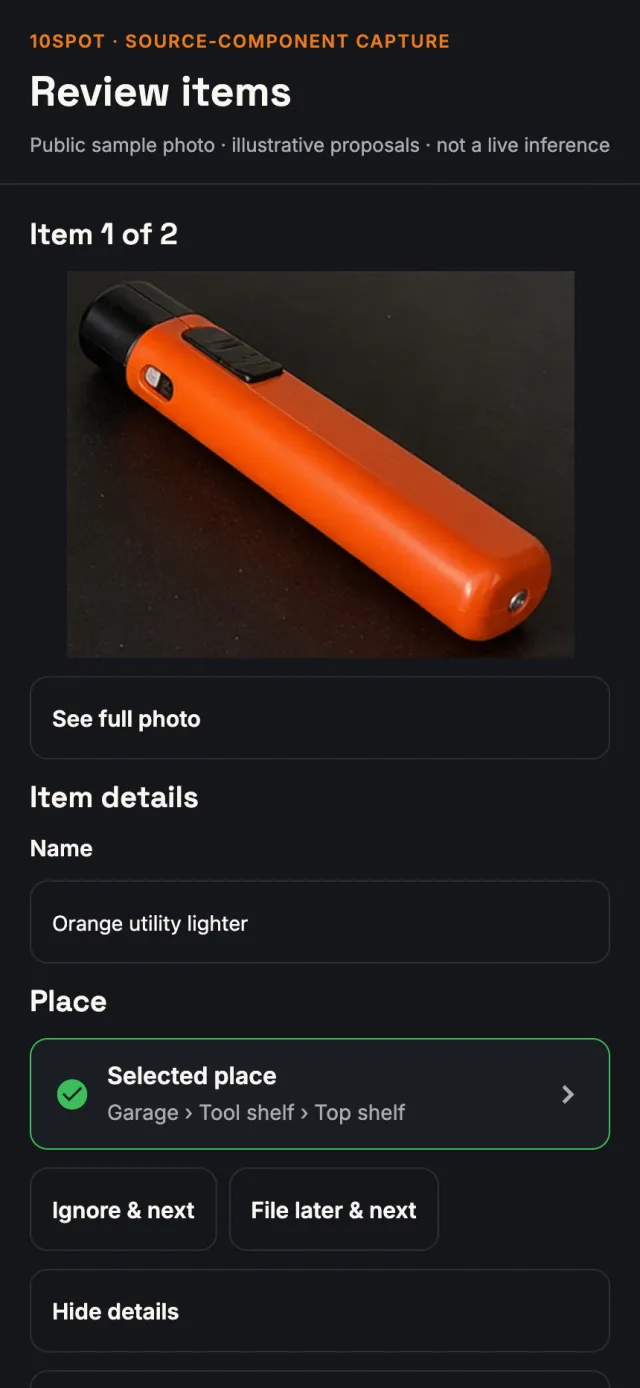
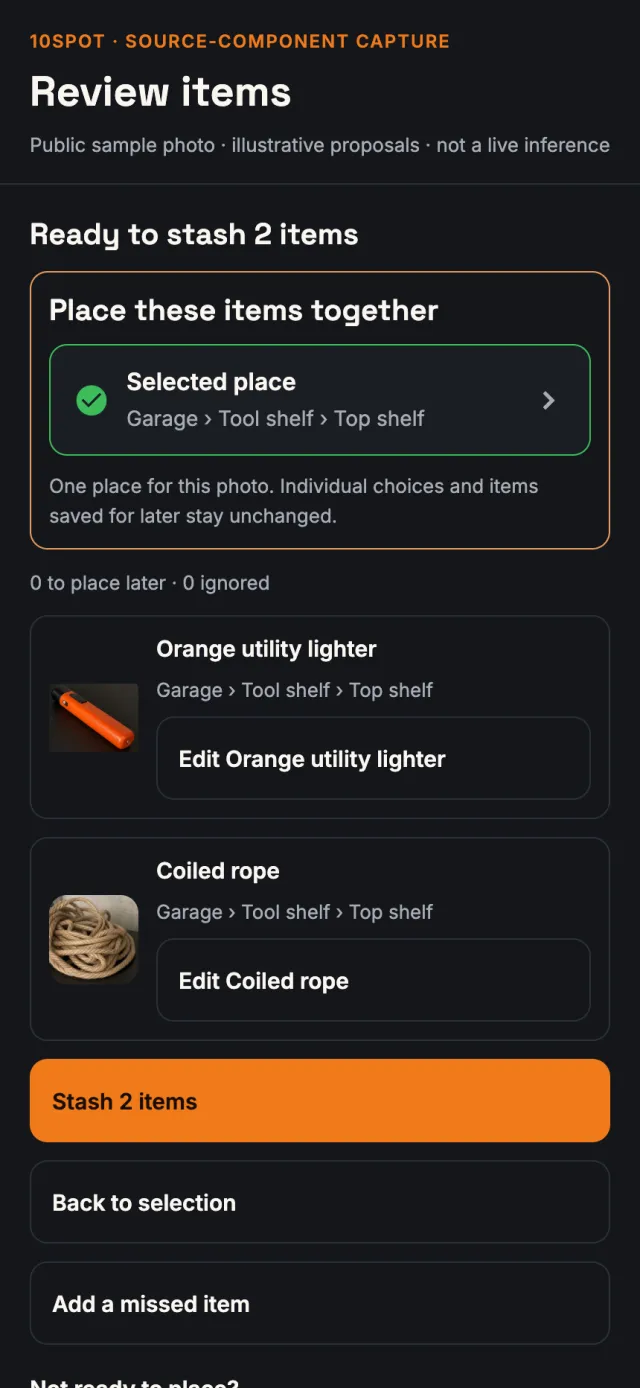
- You tick what to keep, correct names, combine a pair or set (with undo), or add something it missed.
- Each kept item gets its own cropped photo, made on the phone, and an exact home. Only your explicit “Stash” saves anything.
A rough sketch of a room
- You take up to 16 overlapping photos from near the middle of a room.
- One request reconciles the repeated views and proposes the main storage furniture, doors and windows.
- The app turns that into a suggested, editable arrangement. It is not stitching, a 3D scan or a measurement; sizes and shelf contents are not inferred.
- Once you accept it, storage furniture becomes empty storage spots. Nothing becomes inventory on its own.
How it is kept in bounds
- Server-side only. Credentials never reach the phone; every request checks ownership and workspace membership.
- Zero data retention is requested on every call, and only models that advertise it are allowed.
- A usage allowance for the beta, reserved before each request, and results are cached so a photo is not analysed twice by accident.
- Tested, with bounded claims. In an October 2026 trial the chosen model returned valid structured results for 16 of 16 photos, averaging about 2.8 seconds. That measures format, not accuracy.
Not AI
- Places, room editing and starter layouts.
- Search: text and fuzzy matching. Voice search uses Apple’s on-device speech recognition to fill in the words.
- Lending, returns, stock and collections.
- QR labels, cropping and sync.
- Ratings of suggestions are stored; they do not train a model.
The product, as it is
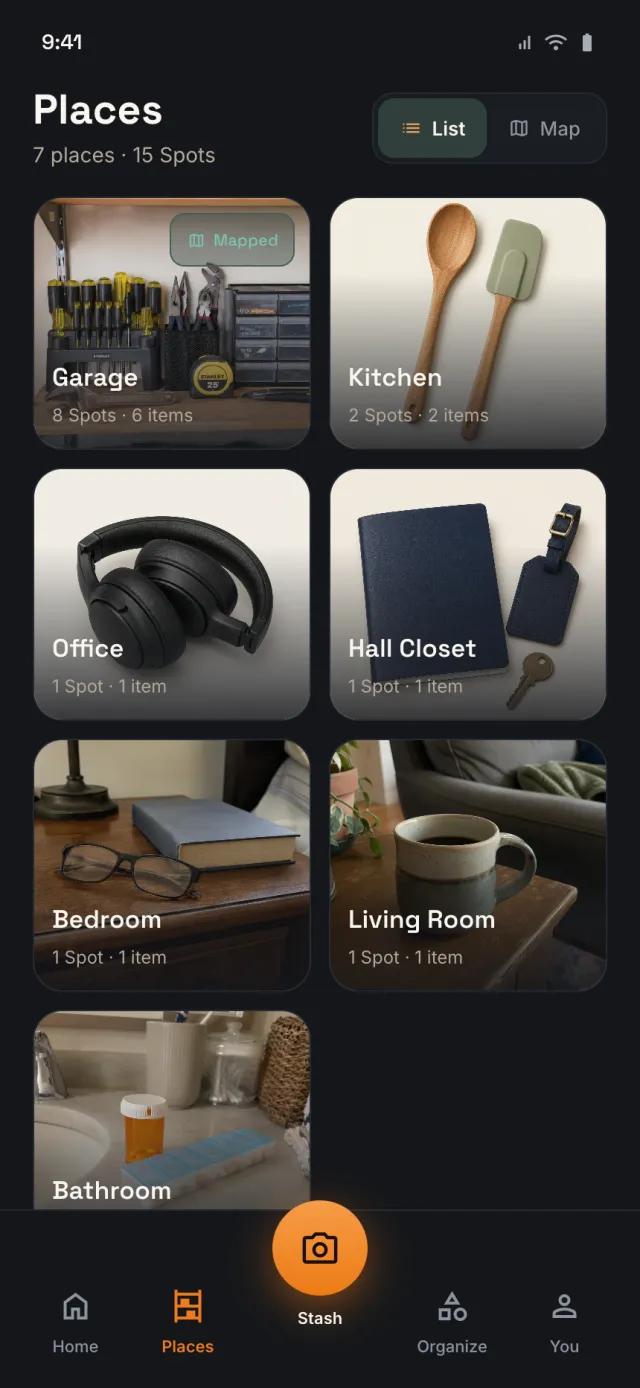
Real interfaces. Labelled.
The review screens are the app’s real components rendered in a browser with example data. The demo screenshot is the live web demo with its public sample records.
Stage and business
A useful free beta first.
10Spot is pre-revenue. There is no payment flow, and prices are not set.
- DirectionA useful free manual product, with possible paid plans for AI, media storage and shared workspaces.
- How it spreadsThe free manual product and an open web demo let anyone try it before any paid plan exists.
- Not claimedNo paid customers, no proprietary foundation model, no guaranteed recognition accuracy.
| Part | Stage |
|---|---|
| iOS app | Beta Distributed through Apple TestFlight; a new build reached internal testers on 19 Nov 2026. Public App Store launch not yet cleared. |
| Web demo | Live At 10spot.com, with seeded sample data. |
| Photo review and room sketch | Beta Implemented; limited to eligible testers within a usage allowance. |
| Paid plans | Not built Prices and plan sizes not set. |
Walk around the demo.
The web demo runs on sample data, so you can explore places, spots and items without an account.
Facts on this page were checked against the product’s code and release records on 17–20 November 2026.